Is TeraBox Safe and Legit? A Complete Privacy Review
TeraBox gives users a huge amount of free cloud storage, and that alone makes some people wonder how the service actually works — and whether their files stay private. On top of that, you’ll likely come across unofficial TeraBox MOD APK files online promising to remove ads or unlock paid features, which only adds to the uncertainty.
To be clear: TeraBox is a legitimate commercial cloud-storage service, run by Flextech Inc., with official apps available on both Google Play and Apple’s App Store. But being legitimate doesn’t automatically mean it’s completely private, free of every security risk, or the right fit for every type of file.
This guide walks through TeraBox’s security, privacy practices, data collection, encryption, app-store disclosures, shared links, ISO certifications, and the risks of modified APKs — so you can decide for yourself whether it’s the right choice.
Quick Answer: Is TeraBox Safe and Legit?
TeraBox is a legitimate cloud-storage service, and its official app can work well for ordinary, non-sensitive files — as long as you take basic steps to protect your account and understand how it handles privacy. TeraBox documents several security measures, including encryption of stored files, two-factor authentication, account alerts, access controls, and regular vulnerability testing. Google Play also confirms that data is encrypted in transit.
That said, TeraBox does collect and process account information, uploaded content, device information, usage activity, and — when you grant permission — your contacts, along with other data needed for certain features. Its own privacy policy is upfront about this too, stating that no internet service can offer a 100% security guarantee. It’s also worth noting that unofficial modified APK files carry extra risk, since they aren’t the same as the verified official app.
TeraBox Safety Quick Facts
|
Question |
Answer |
|---|---|
|
Official provider |
Flextech Inc. |
|
Available through official stores |
Yes |
|
Legitimate cloud service |
Yes |
|
Data encrypted in transit |
Declared on Google Play |
|
Files encrypted at rest |
Stated in the privacy policy |
|
Data collection |
Yes |
|
Third-party processing |
May occur for certain services |
|
Official MOD APK |
No |
|
Completely risk-free |
No |
|
Best use |
Ordinary, non-sensitive files |
The Apple App Store lists FLEXTECH INC. as the developer, and TeraBox’s own privacy policy and terms name Flextech Inc. as the service provider. Together, these official listings and legal documents back up the conclusion that TeraBox is a real commercial service — not some anonymous file-hosting site.
What Does “Safe and Legit” Actually Mean?
“Safe” and “legit” get used interchangeably a lot, but they don’t actually mean the same thing.
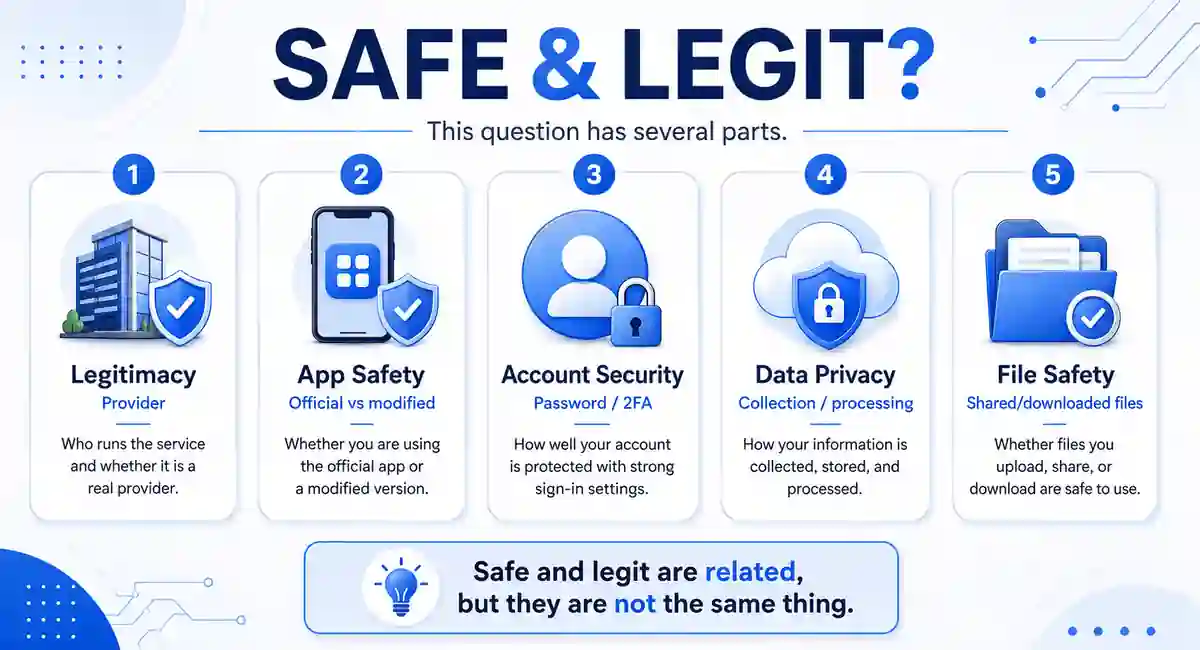
A legitimate service has an identifiable provider, official distribution channels, clear terms, a privacy policy, and an actual working commercial product — and TeraBox checks all of those boxes.
Device safety, on the other hand, is about whether the app you’re installing contains unknown or harmful modifications. Downloading TeraBox through the official App Store or Google Play gives you far more publisher accountability than grabbing an APK from some random website.
And then there’s file-download safety, which is its own separate issue. TeraBox itself can be a completely legitimate platform, while a file someone else uploads and shares through it could still be unsafe, misleading, or unauthorized.
Is TeraBox a Legitimate Service?
Yes — TeraBox is a legitimate cloud-storage service provided by Flextech Inc. It has an official website, mobile apps, privacy documentation, terms of service, support information, and paid subscription options, and it’s available through both Google Play and Apple’s App Store.
Its terms of service lay out the contractual relationship between you and Flextech Inc., covering things like user content, acceptable use, subscriptions, service changes, account termination, and legal responsibilities — all fairly standard elements you’d expect from any commercial online service.
That said, TeraBox being legitimate doesn’t mean every third-party download page claiming to offer it is trustworthy. Some websites use the TeraBox name while actually distributing a modified, outdated, or completely unrelated file. It’s always worth keeping the official service separate from unofficial sites simply borrowing its brand.
Is the Official TeraBox App Safe to Use?
Google Play reports that the app may collect personal information, financial information, and other data categories, but also notes that data is encrypted in transit and that you can request data deletion. Google is clear that these data-safety details come from the developer and can change over time.
Apple shows similar privacy details, provided by FLEXTECH INC. Apple notes that these disclosures haven’t been independently verified by Apple and may vary depending on the features you use or your age.
So the official app is a more accountable choice than an unknown package — but that doesn’t make it completely risk-free.
Security Measures TeraBox Documents
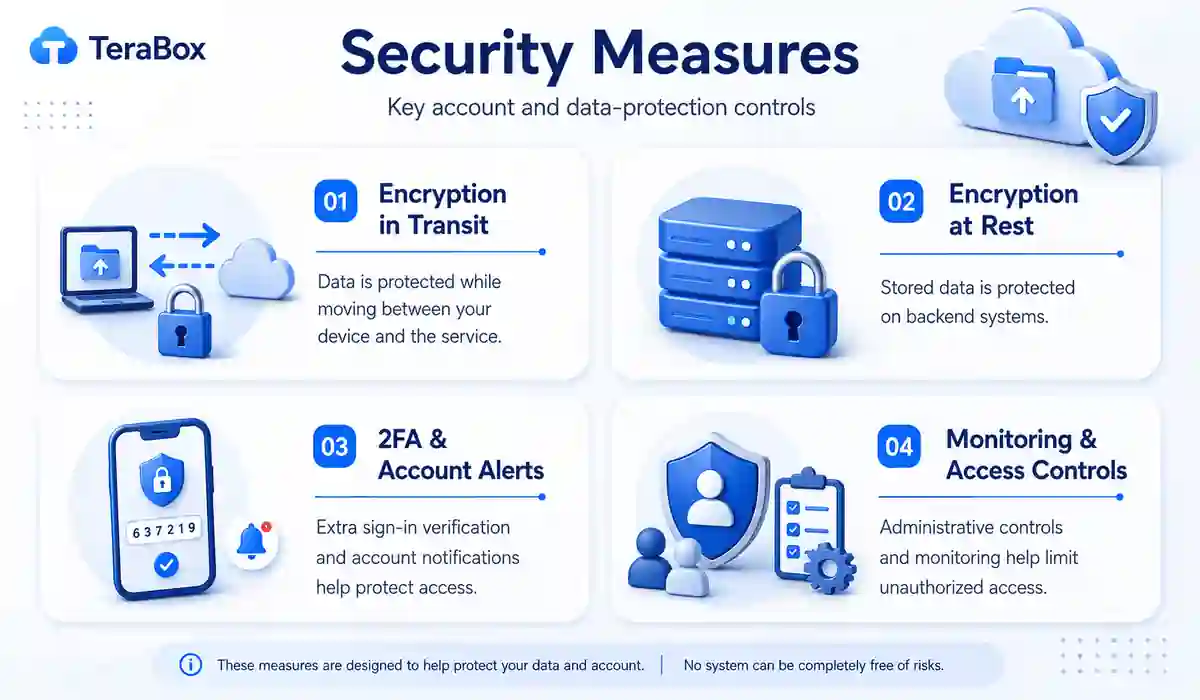
Encryption in Transit
Encryption in transit protects your data while it travels between your device and TeraBox’s servers. Google Play’s current data-safety section confirms that TeraBox encrypts data during transmission.
This reduces the risk of someone intercepting and reading your data over the network — but on its own, it doesn’t tell you who can access that information once it reaches TeraBox’s systems.
Encryption at Rest
TeraBox’s privacy policy states that files are encrypted at rest. At-rest encryption protects your stored data on TeraBox’s infrastructure from certain types of unauthorized access.
That’s a genuinely useful protection, but it’s worth knowing it’s not automatically the same thing as end-to-end or zero-knowledge encryption.
Two-Factor Authentication and Account Alerts
TeraBox’s privacy policy mentions two-factor authentication and alerts that trigger when a new device or app connects to your account. These features can help you catch or prevent unauthorized access.
That said, how well they actually protect you still comes down to how carefully you manage your password, recovery details, and connected devices.
Security Monitoring and Access Controls
TeraBox says it runs vulnerability testing, uses automated systems to flag harmful behavior, controls employee access, trains its staff, and has procedures in place for security incidents. These are measures the provider describes on its end — not a guarantee that something can never go wrong.
What Data Does TeraBox Collect?
TeraBox’s privacy policy outlines several categories of information the service may collect or process:
|
Data category |
Examples |
Why it may be processed |
|---|---|---|
|
Account data |
Email address, phone number and profile details |
Login and account security |
|
User content |
Files, documents, photos, videos and audio |
Storage, processing and synchronization |
|
Usage information |
Viewing, editing, creating and moving files |
Service operation, improvement and protection |
|
Device information |
IP address, browser, device identifiers and location |
Security and optimization |
|
Contacts |
Contact details when permission is granted |
Sharing and invitations |
|
Cookies and clipboard |
Login data, links, invitation or redemption codes |
Service functionality |
The policy also notes that TeraBox may collect search commands and use certain account or usage data for personalization and marketing. Some optional AI features can also send selected content to servers or external service providers for processing.
That doesn’t mean every category applies to every user, though — what gets collected can depend on your device, the permissions you’ve granted, your location, your account activity, and which features you actually use.
Can TeraBox Access or Process Your Files?
TeraBox’s terms state that you retain ownership of your data — but they also grant the company certain limited permissions needed to actually run the service.
According to those terms, TeraBox may access, store, and scan user data to provide hosting, backup, sharing, policy enforcement, and related functions, and that permission can extend to affiliates and certain third parties working with the company.
That doesn’t mean employees are manually looking through every file — but it does mean you shouldn’t assume TeraBox is technically incapable of processing what’s stored on its servers.
Separately, the privacy policy also states that user data may be stored, processed, and transferred as needed to operate the service and support access across your devices.
Does TeraBox Use End-to-End Encryption?
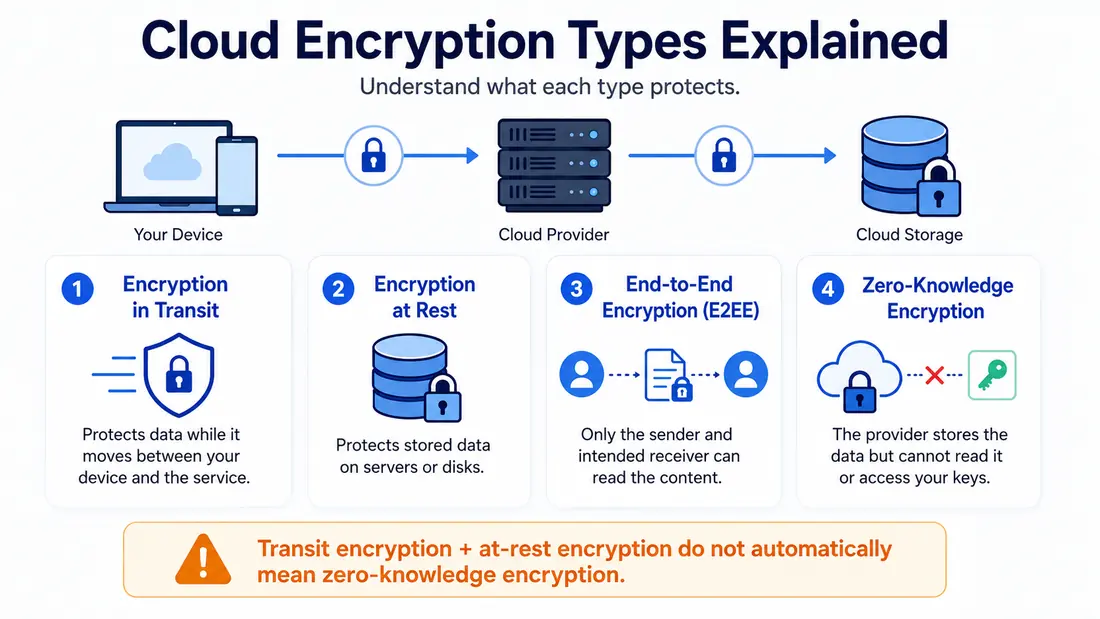
Based on the official documentation reviewed for this article, TeraBox confirms encryption in transit and encryption of files at rest. What it doesn’t clearly establish is a general, user-controlled, zero-knowledge encryption system for normal cloud files — that’s an inference drawn from the available privacy policy, terms, and app-store disclosures, not a direct claim TeraBox makes.
It helps to understand how these terms actually differ:
|
Encryption type |
What it generally protects |
|---|---|
|
Encryption in transit |
Data moving between your device and the service |
|
Encryption at rest |
Data stored on provider infrastructure |
|
End-to-end encryption |
Content remains encrypted between the communicating endpoints |
|
Zero-knowledge encryption |
The provider does not hold the key needed to read protected content |
Because of this, you shouldn’t describe TeraBox as “zero-knowledge” unless the provider offers clear technical documentation confirming that protection for the exact feature you’re using.
If you’re dealing with highly sensitive files, encrypting the content yourself before uploading gives you full control over the encryption key — rather than relying on the provider’s system.
Is TeraBox Safe for Photos, Videos and Documents?
The right answer really depends on how sensitive or valuable the files are.
|
File type |
General recommendation |
|---|---|
|
Public or replaceable media |
Generally reasonable for routine storage |
|
Ordinary personal backups |
Use with normal account and backup precautions |
|
Private identity documents |
Encrypt first or consider a privacy-focused service |
|
Financial or legal records |
Avoid storing unprotected copies |
|
Business or customer data |
Review contracts, policies and compliance duties |
|
Irreplaceable files |
Keep another independent backup |
TeraBox can be genuinely useful for media, general documents, temporary sharing, and secondary backups — but it shouldn’t be the only place you keep irreplaceable files.
TeraBox’s own terms also allow features to change over time and make clear that no service warranty removes every risk of data loss. Keeping an independent copy elsewhere protects you from account problems, accidental deletion, service changes, and simple local mistakes.
Official TeraBox App vs TeraBox MOD APK
|
Factor |
Official TeraBox app |
Unofficial MOD APK |
|---|---|---|
|
Publisher identity |
Displayed through the official store |
Depends on the download source |
|
Updates |
Delivered through the normal store process |
May require manual replacement |
|
Code modifications |
Official distributed build |
Package may contain unknown changes |
|
Login risk |
Lower when installed from the verified listing |
Credentials may be exposed to modified code |
|
Permissions |
Visible through the operating system and store |
Requested permissions may differ |
|
Support |
Official provider support may apply |
No reliable official support |
|
Important accounts |
More suitable with normal precautions |
Avoid for sensitive or important accounts |
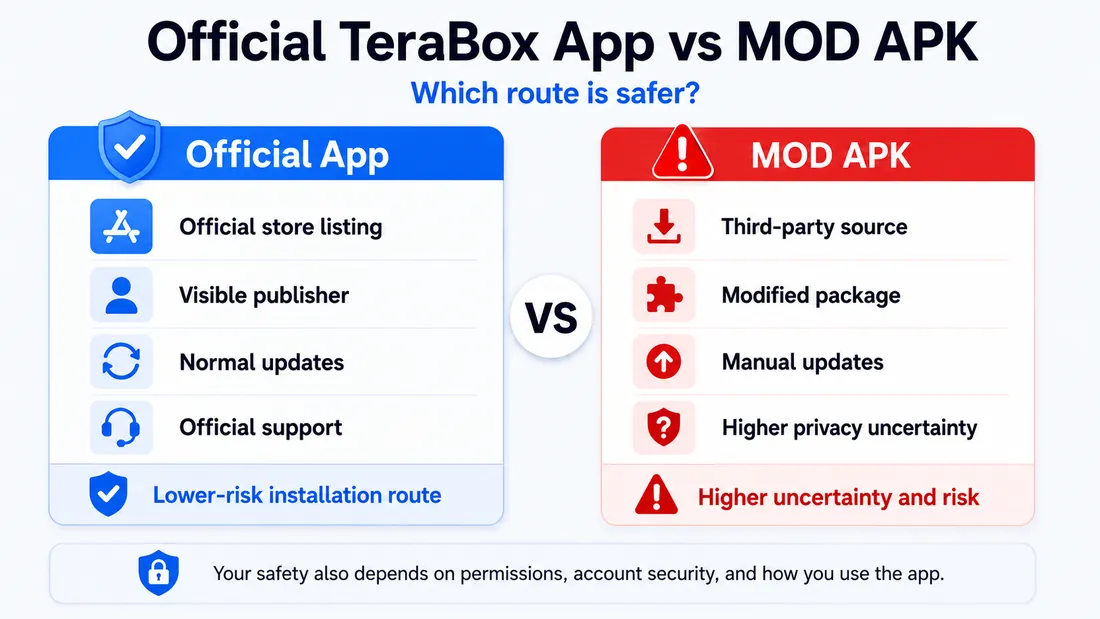
A TeraBox MOD APK isn’t an official Premium plan — it’s a modified Android package distributed outside the normal release channel.
Treat any claims about unlimited storage or server-controlled Premium benefits with caution. An altered app simply can’t reliably guarantee benefits that actually depend on your account and TeraBox’s own servers.
If you want more detail on features and Android installation, check out our full TeraBox MOD APK guide. And avoid signing into an unfamiliar modified build using any account that holds private or irreplaceable files.
Are Shared TeraBox Links and Downloaded Files Safe?
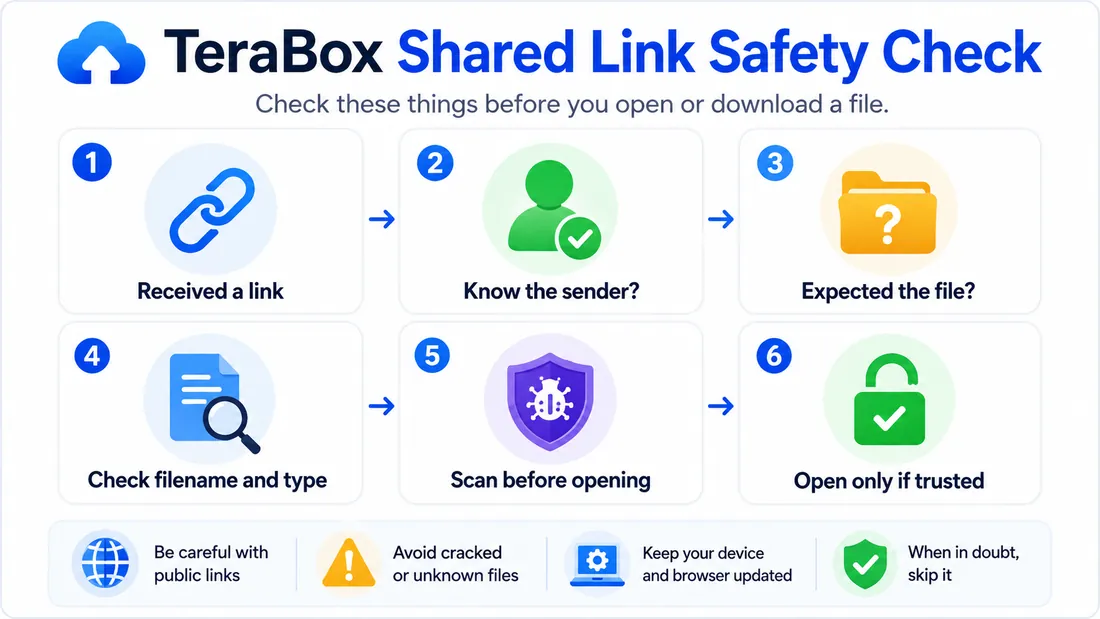
Being a legitimate cloud platform doesn’t mean every file another person uploads is automatically harmless.
Before opening anything, check who sent the link and whether you were actually expecting the file. A misleading filename can make an executable, archive, APK, or other package look far more trustworthy than it really is.
Avoid installing apps from unknown shared links, and scan downloaded files with your device’s security tools before opening them — especially if they come from a public page, message group, or unfamiliar sender.
When creating your own share link, take a moment to review who can access it and whether options like a password, expiration date, or restricted permissions are available. TeraBox’s terms prohibit malicious, deceptive, unlawful, and infringing uses, but they’re also clear that the company doesn’t necessarily review every single item shared on the platform.
What App Store Privacy Disclosures Reveal
According to Apple, FLEXTECH INC. states that usage data may be used to track you across other companies’ apps and websites. The listing also identifies contact information, photos or videos, identifiers, and usage data as information that may be collected and linked to your identity, while contacts, certain usage information, and diagnostic data may be collected without being tied to your identity.
Google Play, on the other hand, currently shows the developer declaring no data sharing with third parties. That same section notes the app may collect personal information, financial information, and six other data types, and adds that these developer disclosures can vary depending on use, region, and age.
Both sets of labels follow each store’s own definitions and reporting system, so they’re genuinely useful summaries — but they’re best read alongside TeraBox’s full privacy policy rather than treated as complete, independent privacy audits on their own.
TeraBox ISO Certifications: What They Mean
TeraBox states that it holds ISO/IEC 27001, ISO 27018, and ISO/IEC 27701 certifications.
In simple terms: ISO/IEC 27001 sets requirements for an information security management system and helps an organization manage information-security risks. ISO 27018 offers cloud-specific guidance for protecting personally identifiable information, while ISO/IEC 27701 covers privacy information management more broadly.
These standards are genuinely meaningful — they show formal security and privacy-management processes are in place. But they don’t prove that:
- Every application build is safe
- Every account is protected from compromise
- Every shared file is harmless
- No security incident can occur
- The service uses zero-knowledge encryption
- Your own password and device habits no longer matter
Certification is best treated as one piece of a broader safety picture — not an absolute guarantee that everything is risk-free.
How to Use TeraBox More Safely
A few precautions can go a long way when storing or sharing files:
- Install TeraBox only through its official website or a recognized app-store listing
- Create a strong, unique password you don’t reuse on other accounts
- Turn on any available account-protection features
- Review app permissions for photos, contacts, notifications, and other device access
- Avoid uploading unencrypted identity, legal, medical, or financial documents
- Confirm an upload has fully finished before deleting the original file
- Keep an independent backup of anything you can’t afford to lose
- Double-check the sender and filename before opening a shared download
- Keep both the official app and your operating system updated
- Never sign in to unknown modified builds using your primary account
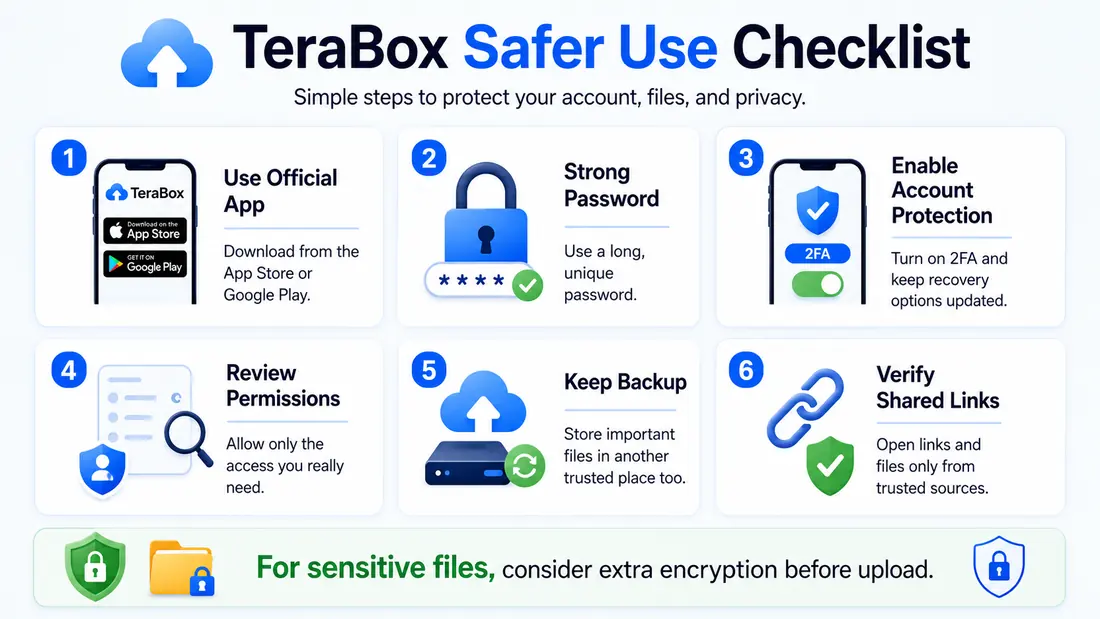
No single step here removes every risk — but together, these habits meaningfully cut down on the most common account, privacy, and file-loss problems.
Pros and Cons
Pros
Cons
Overall, the balance is reasonable for general, everyday storage — but it may fall short of the privacy expectations someone handling confidential records or regulated business data would need.
Frequently Asked Questions
Final Verdict
TeraBox is safe and legitimate enough for most ordinary cloud-storage needs — as long as you install the official app, use a strong password, review your permissions, and keep an independent backup.
The service documents encryption in transit and at rest, two-factor authentication, account alerts, access controls, security procedures, and ISO-related management practices. At the same time, its own policies confirm it collects and processes multiple types of personal and usage data, and may access, store, scan, or transfer files as needed to run the service. TeraBox’s privacy policy is also upfront that complete security can never be fully guaranteed.
For replaceable photos, videos, general documents, and secondary backups, the official TeraBox service is a genuinely practical option. But for identity documents, financial records, confidential business files, or anything truly irreplaceable, it’s worth adding your own encryption or choosing a service built around stronger, user-controlled privacy.
And one last thing — steer clear of unfamiliar TeraBox MOD APK packages for anything important. A modified app can’t actually guarantee Premium access, unlimited storage, privacy, or safe code, no matter what it claims.